1.- Register.
2.- Shop in U.S. stores as if you were living there. SkyBOX will help.
3.- You receive your purchases at SkyBOX.
4.- SkyBOX tracking.
5.- SkyBOX will inform you.
6.- Contact us.

How to shop in the U.S.
SkyBOX helps you shop in the U.S.

1.- Register.
The first step to shopping in the U.S., whether by catalog or Internet, is to open your own personal SkyBOX address in Miami which you will need due to the fact that the majority of merchants do not deliver outside the country.

2.- Shop in U.S. stores as if you were living there. SkyBOX will help.
- Select the store in the U.S. where you want to shop, choose your products, add them to the “shopping bag” and proceed to check-out.

- Ship to your SkyBOX address. In ‘Shipping Details’ select one of the delivery options to your SkyBOX address in Miami, depending on your time and cost needs. When asked for your address (shipping address) in the U.S., give them your personal SkyBOX address in Miami, including your Suite number (yours exclusively) which we assigned to you at the moment you registered.

It’s real easy, just as if you lived there!

Example:
Name: John
Last name: Smith
Address 1: 1900 N.W. 97th Avenue
Address 2: Suite # 123-4567
City: Doral
State: Florida
Zip code: 33172
Telephone: (786) 265-4880

- Billing Address .As part of your order, the store will ask you to provide the address associated to your credit card (billing address) which is usually your home address and telephone number, in your country. As a security measure, the store will verify this information with the bank that issued your credit card. SkyBOX advises that you ask your bank to add your SkyBOX address and suite number in Miami as an alternate address. Doing so, will make shopping in the U.S. much more convenient.

- Payment. Indicate the method of payment you’ll be using for your purchase. Next, you should create a secure security code to use in order to access personal information on the account of the store in which you are shopping. Verify that the U.S. store site has a padlock safety icon, indicating that it’s a safe and secure site for entering your credit card number.

- Confirmation of Purchase. Once you are done shopping, you will receive a purchase confirmation with your order number, item or items purchased, prices and shipping charges to your SkyBOX address in Miami. Keep this Purchase Confirmation as a receipt for payment or invoice.

- Invoice. Immediately afterwards, you will receive a confirmation email from the merchant at the email address you provided when you registered at the store with all the specifications of your purchase. Keep this email as a receipt for payment or invoice, as well.

- Tracking. When the store ships your order you’ll receive another message confirming, and sometimes attaching the number for tracking it (Tracking number) that the postal service has assigned your package for the journey to your personal SkyBOX address in Miami.

3.- You receive your shipment at SkyBOX.
You receive your purchase at SkyBOX.

4.- Tracking SkyBOX.
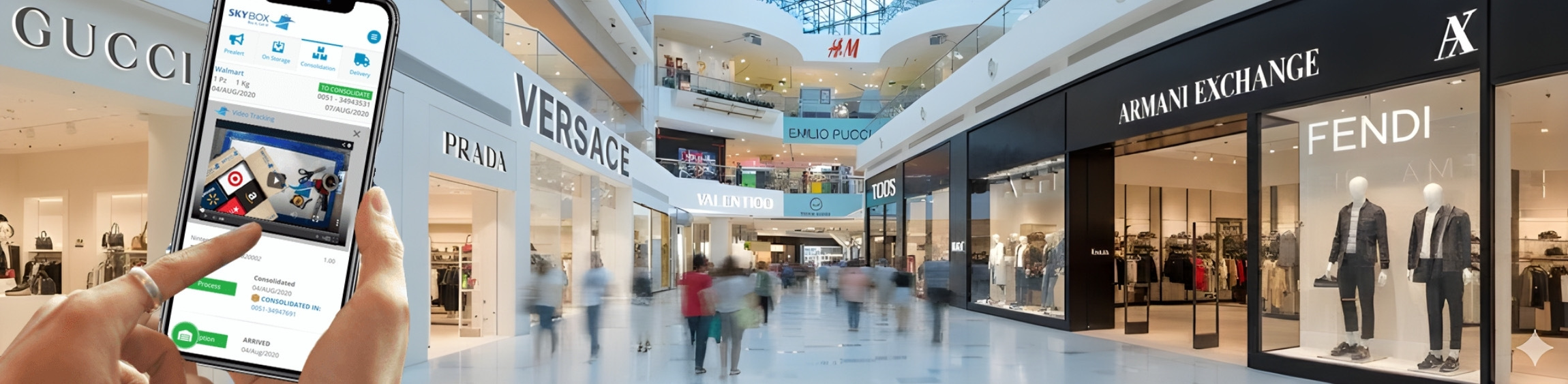
You can track your shipments to your country with a SkyBOX tracking number. Each package received at SkyBOX in Miami will be assigned a tracking number which we will provide you, via email, upon receipt of the package. You can also track your purchases by entering My SkyBOX and selecting Track Packages or Track Documents. This tool allows you to track your purchases from the time SkyBOX receives your packages, dispatches the shipment internationally, clears customs and is eventually delivered to your home or office.
NEW VIDEO TRACKING: you can see how we process your order when it arrives and how we verify its content. In each tracking guide you’ll find a camera icon that will take you to a streaming video. Plus you’ll find a “DOC” icon, so you can see the documents that came with your package.

5.- SkyBOX will inform you.
SkyBOX will keep you informed on the status of your shipment by email.

6.- Contact us.  
We are available at any time to answer any questions or concerns regarding your SkyBOX shipments.